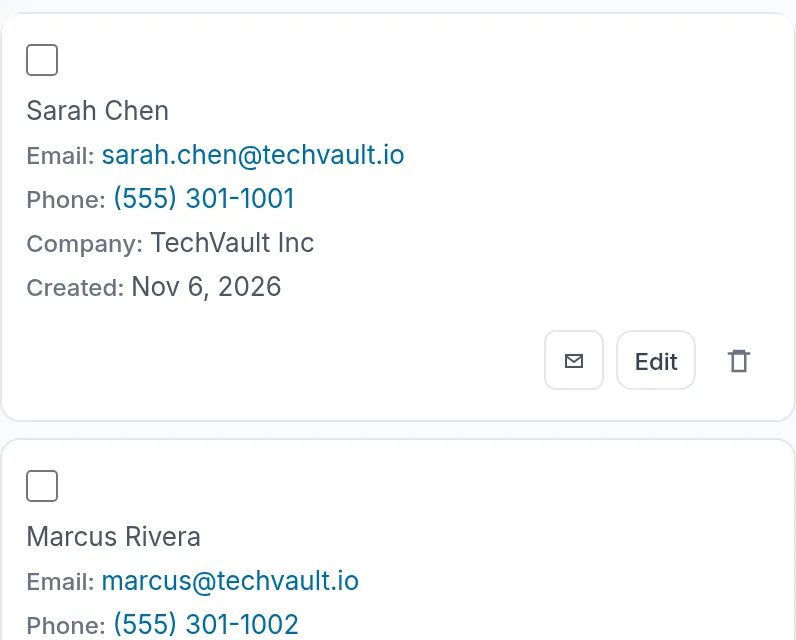
Contacts and companies
Tags, custom fields, a timeline, duplicate warnings and CSV import.
White Label CRM
Sell a full sales CRM under your own brand: contacts, companies, a drag-and-drop pipeline, tasks, email, an AI assistant and automations. Your clients sign in on your store, and you set the price.
Quick answer
A white label CRM is customer relationship software an agency sells to its clients under its own brand. The client manages contacts, deals and tasks in an app with the agency's name on it, and the agency sets the price.
With ResellPortal, that means
Real screens
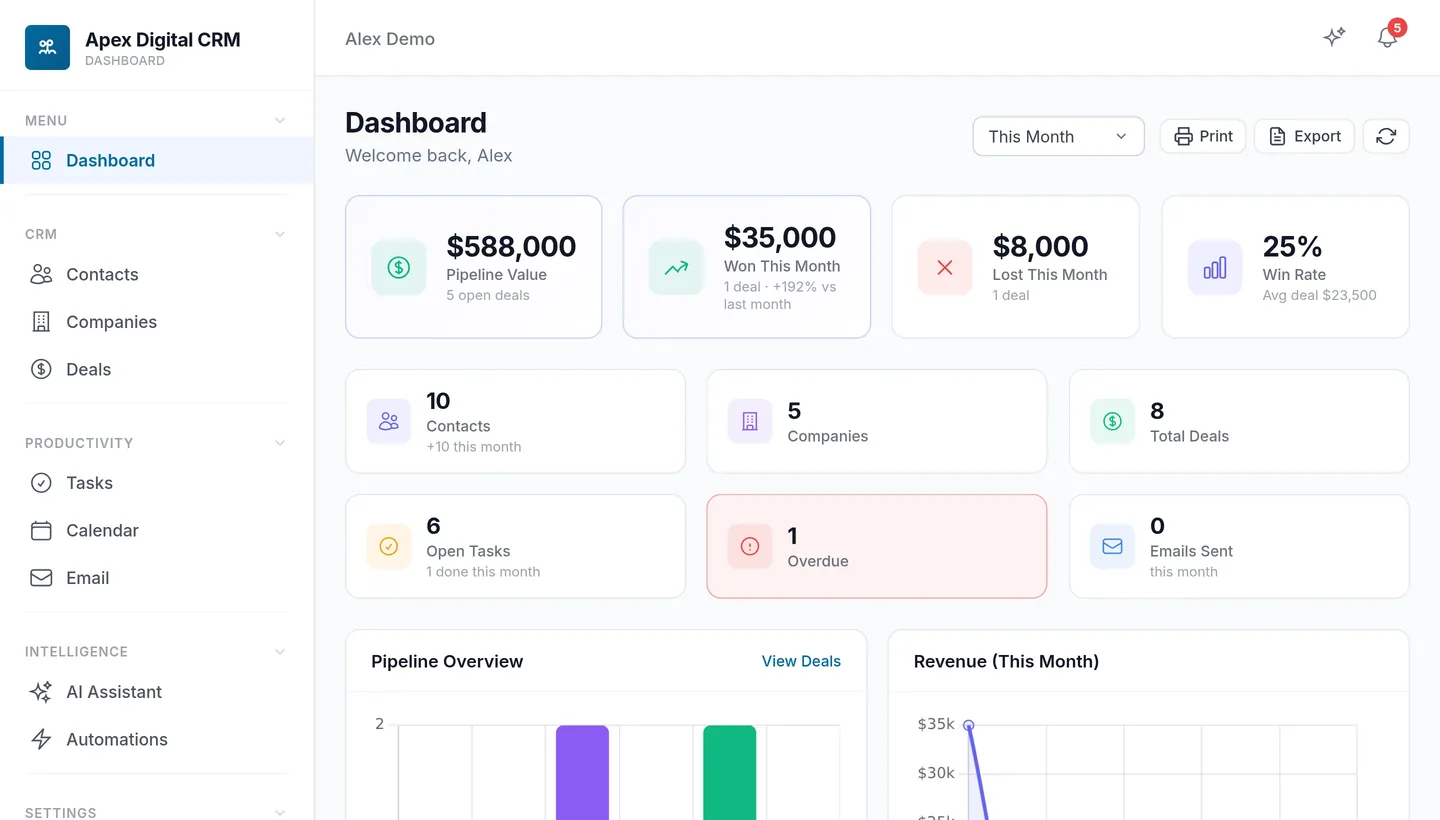
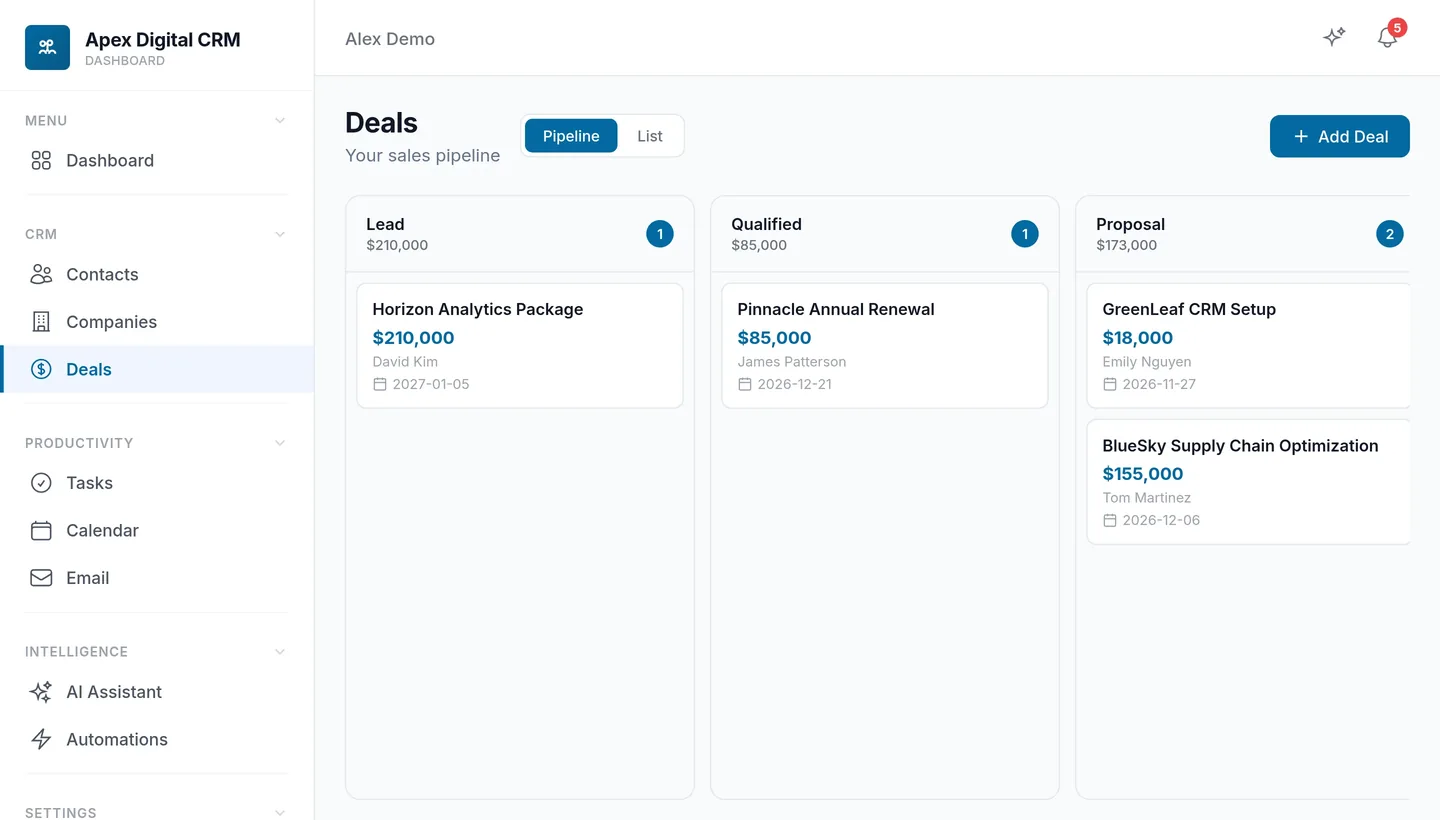
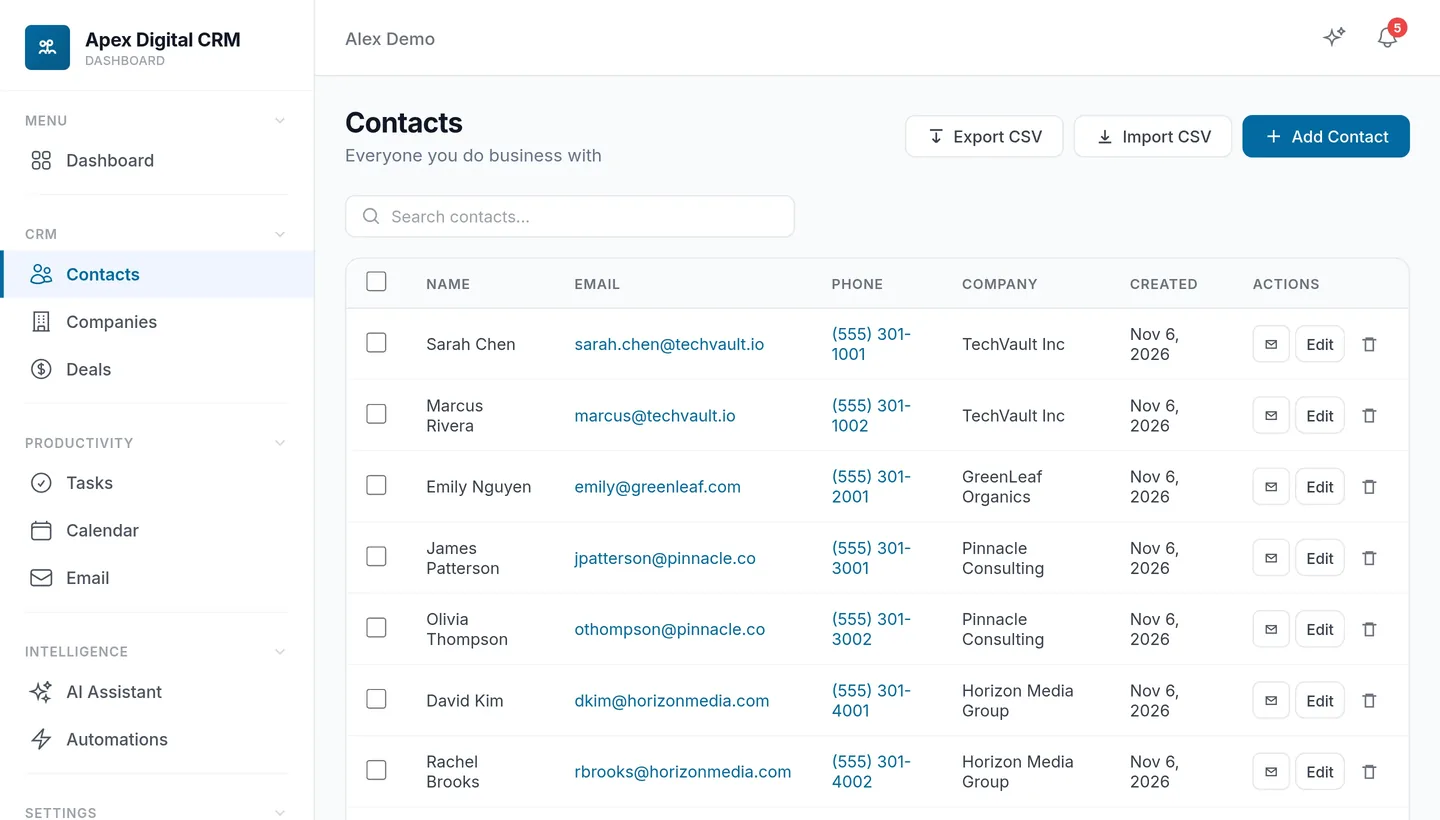
What your clients see on your store. The screens show Apex Digital, our sample reseller, with sample data.
Pipeline value, won and lost deals and the win rate.


Everything a small sales team uses every day, with AI built in.
Your CRM
Contacts and companies with a full timeline, a drag-and-drop pipeline, tasks and a calendar, all under your brand on your store.
Tags, custom fields, a timeline, duplicate warnings and CSV import.
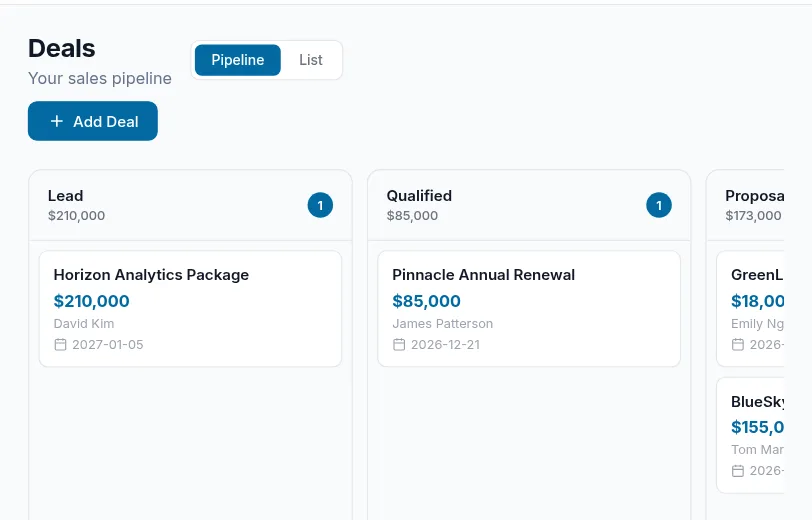
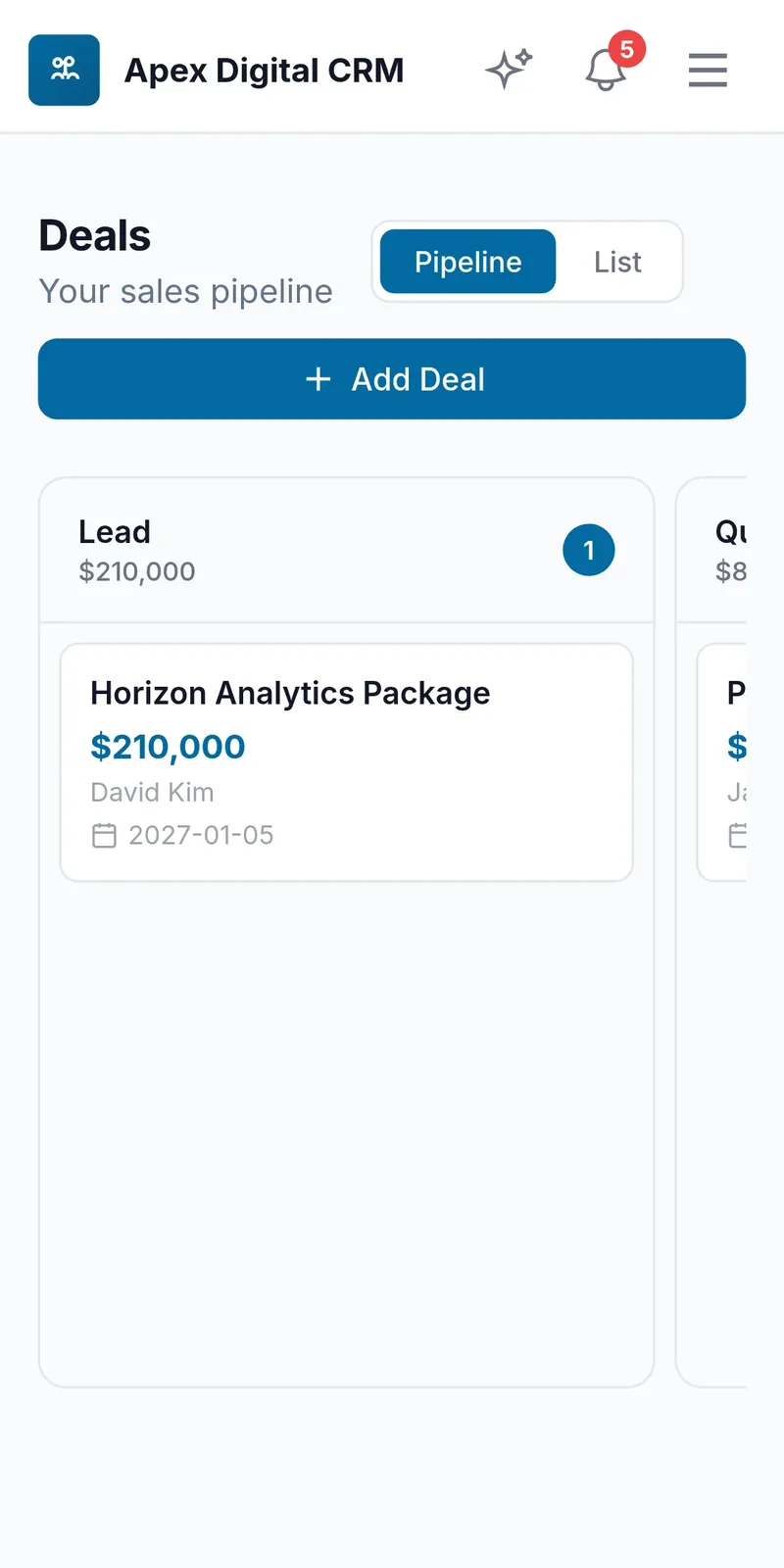
A pipeline board with a column per stage, showing deal count and value.
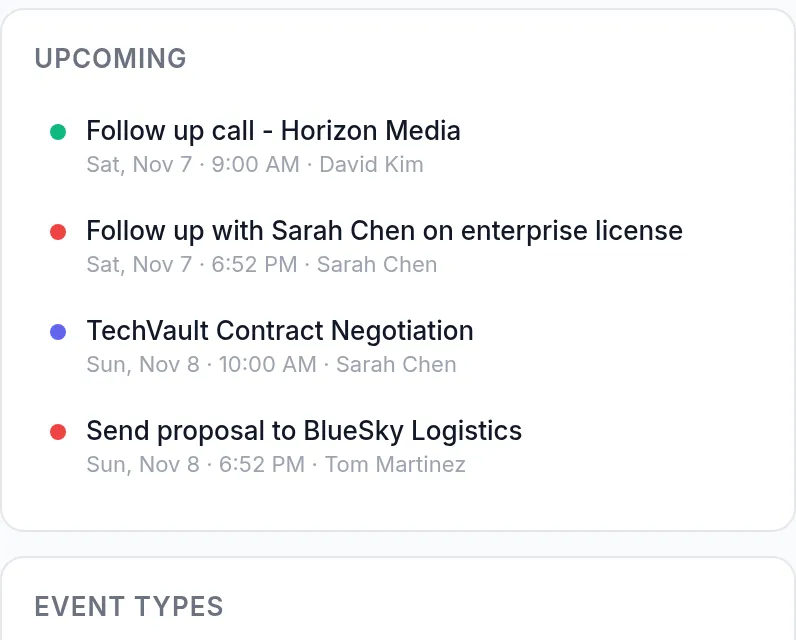
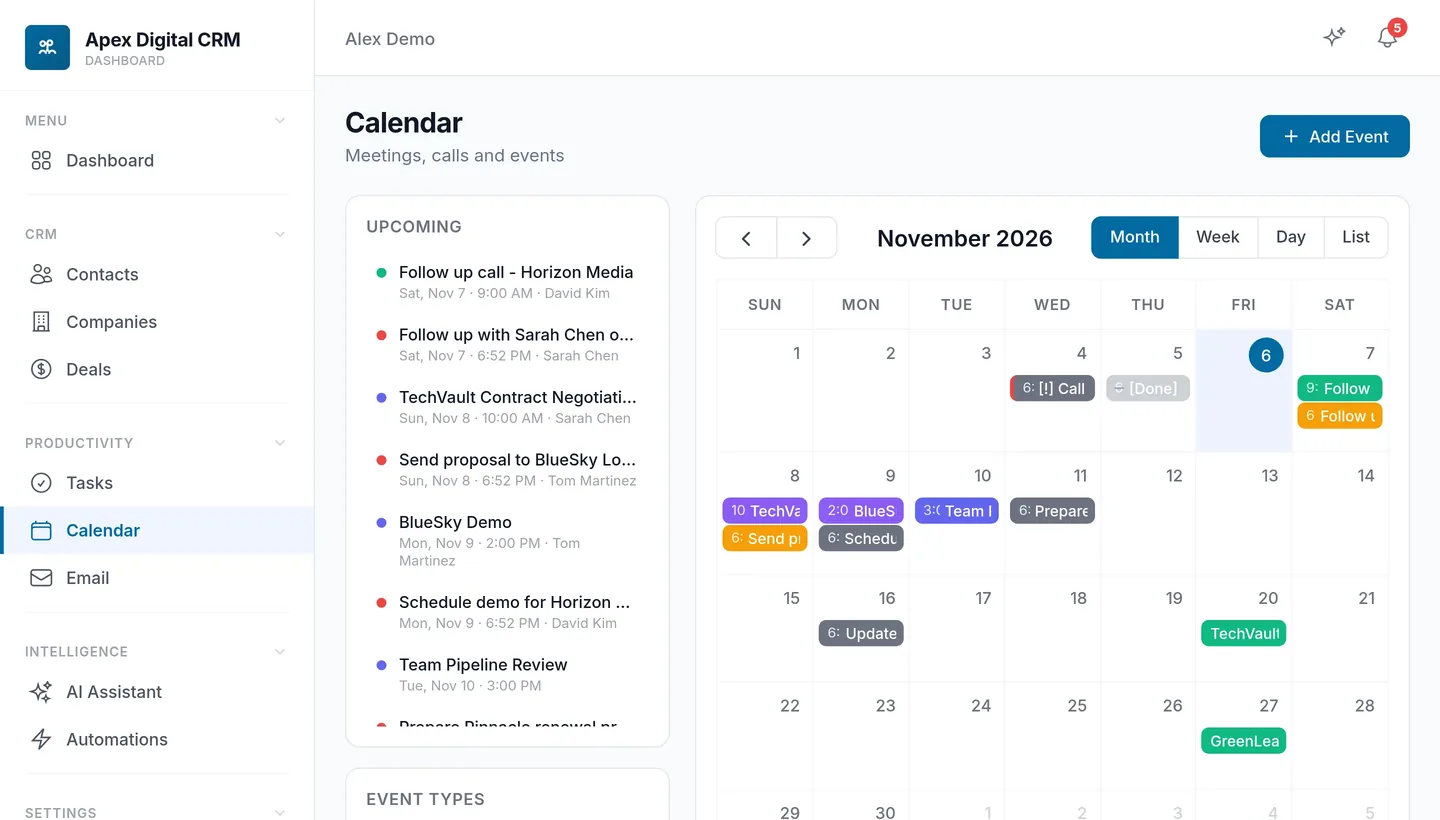
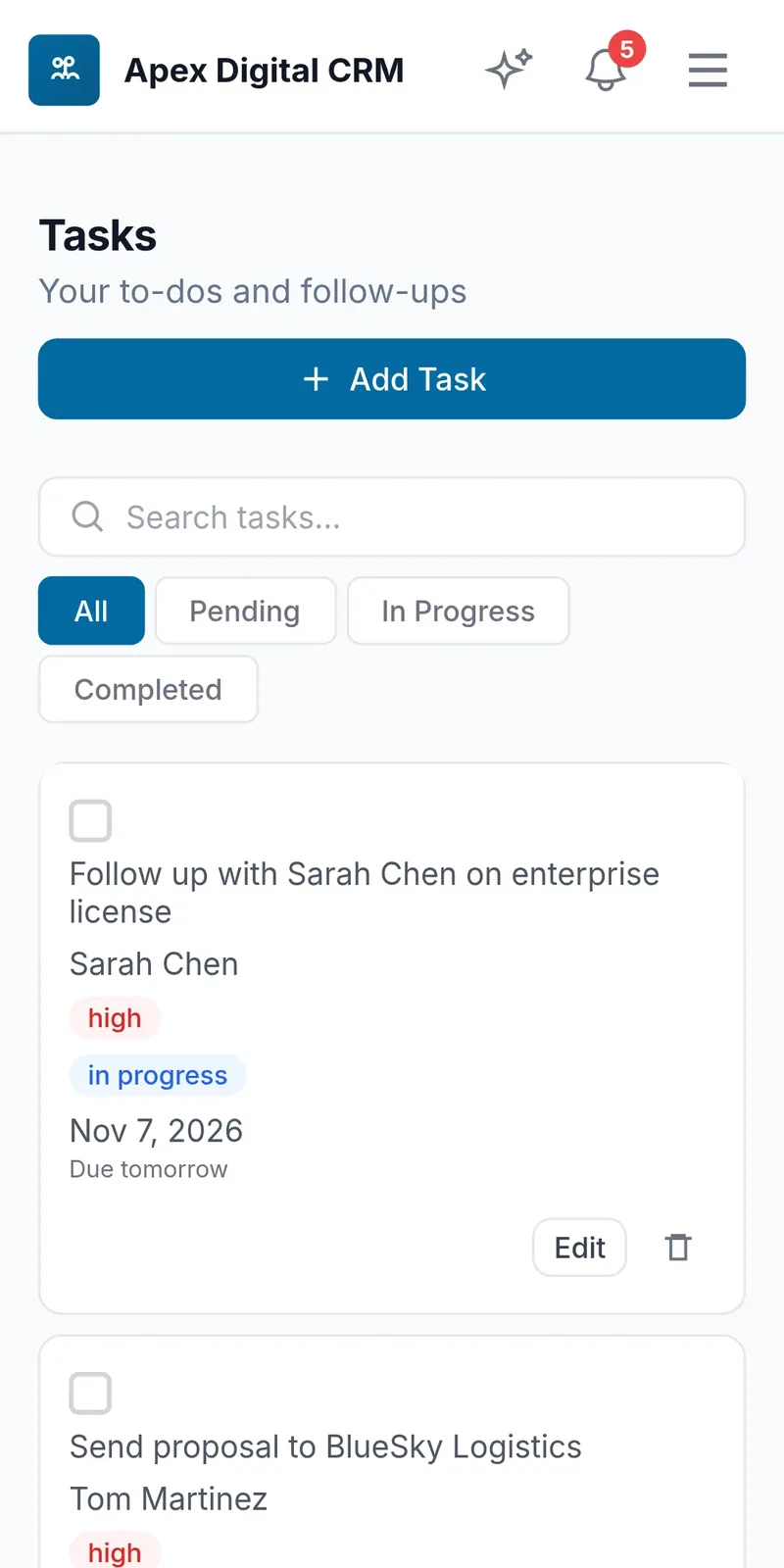
Priorities and due dates, with monthly, weekly and daily calendar views.
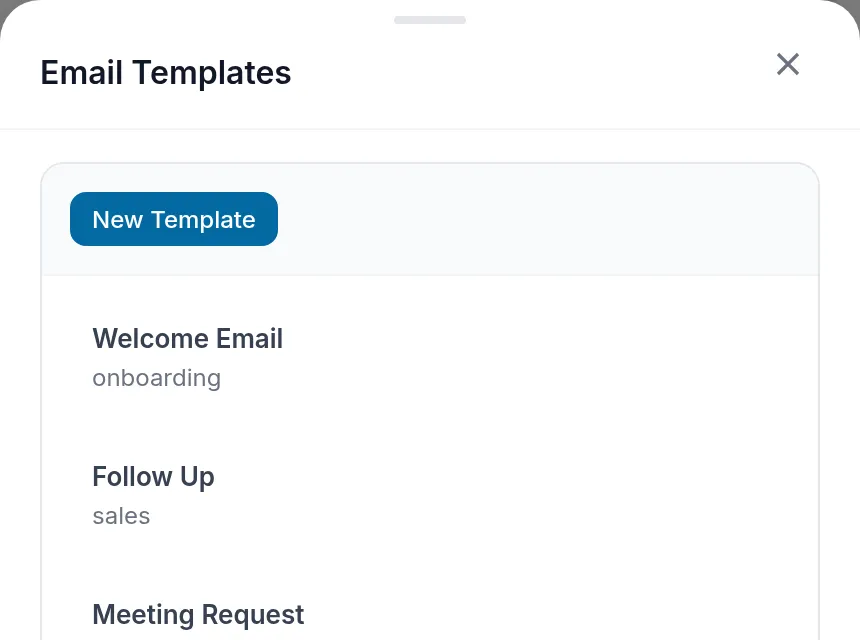
Send email, reuse templates and see an Opened badge on what gets read.
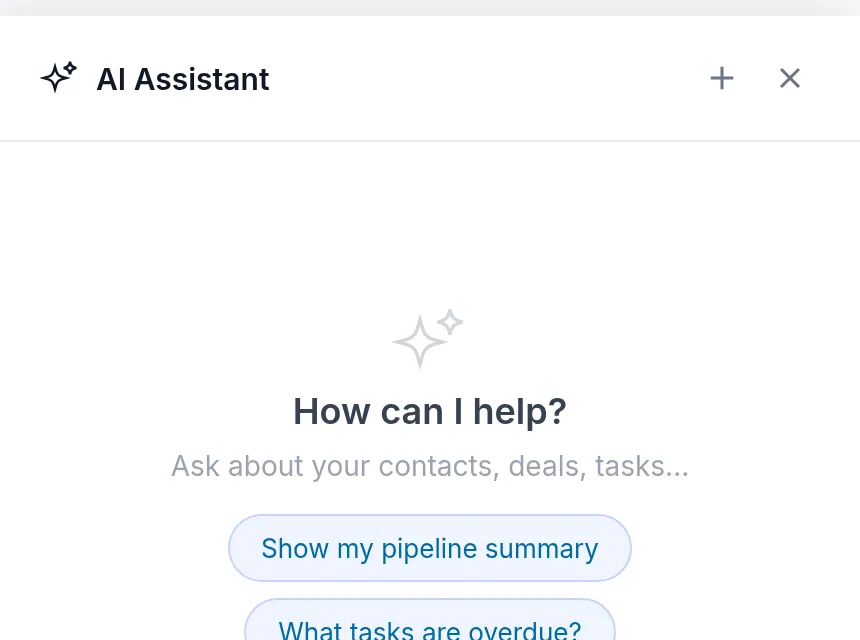
Knows their contacts, deals and tasks. Ask what is closing this week.
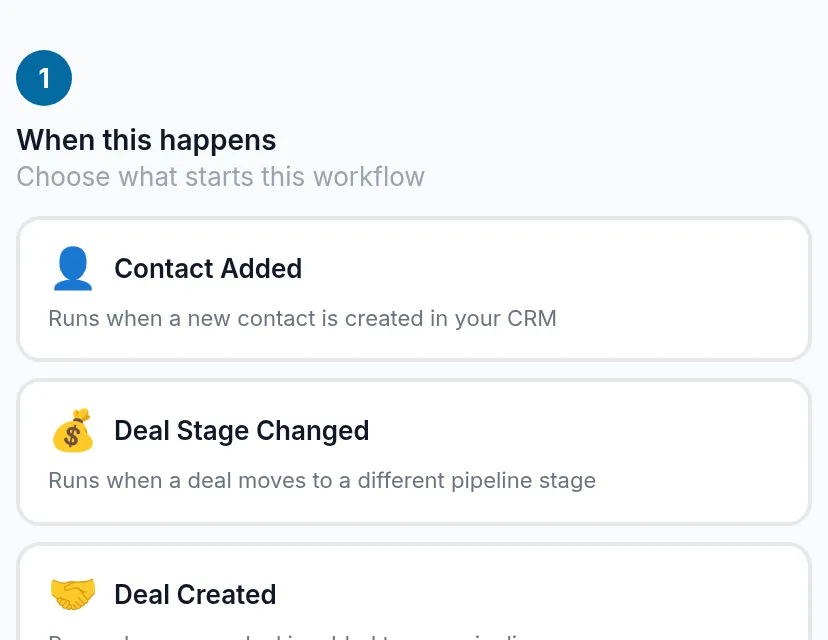
Workflows run when a contact is added, a deal moves or a task is done.
What happens when a client owns the CRM and a few of your other apps. Every step runs on its own.
Step 1 · AI Smart Forms
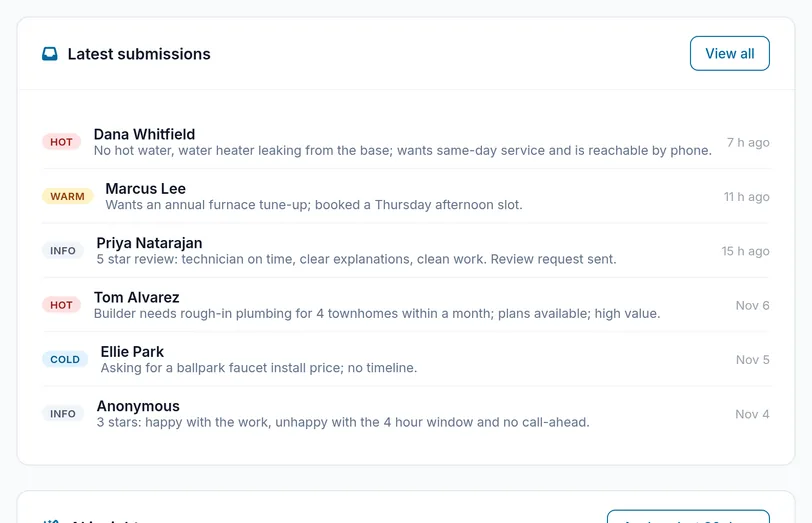
Someone fills in a form on the client's website. AI scores it hot, warm or cold and replies within a minute.
Step 2 · CRM
The person and their answers become a contact with a timeline, ready for the owner to add a deal.
Step 3 · AI Receptionist
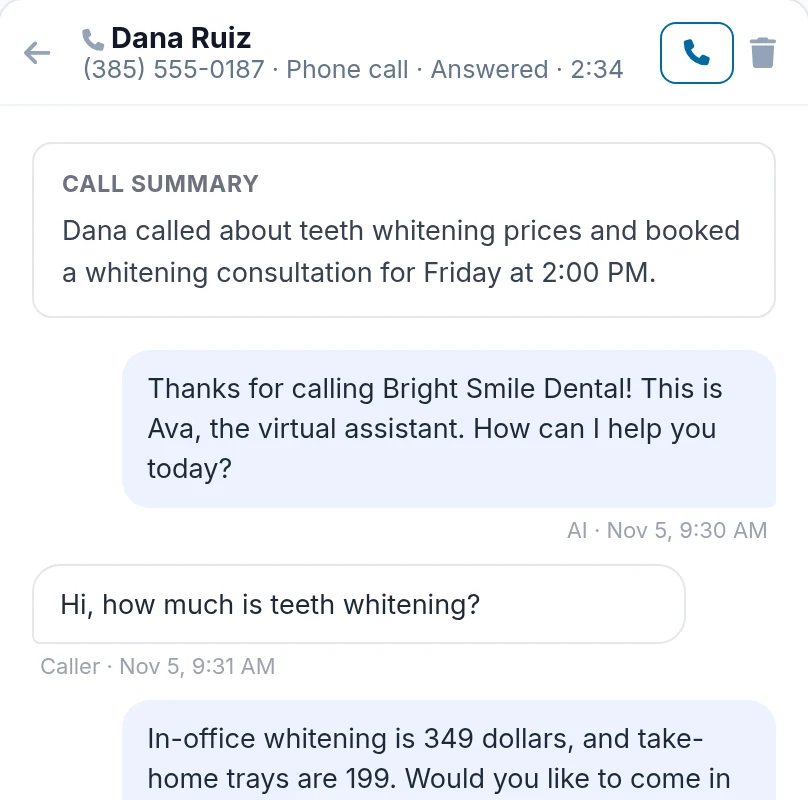
The AI receptionist answers, books the visit and adds the conversation to the same contact.
Step 4 · Invoicing
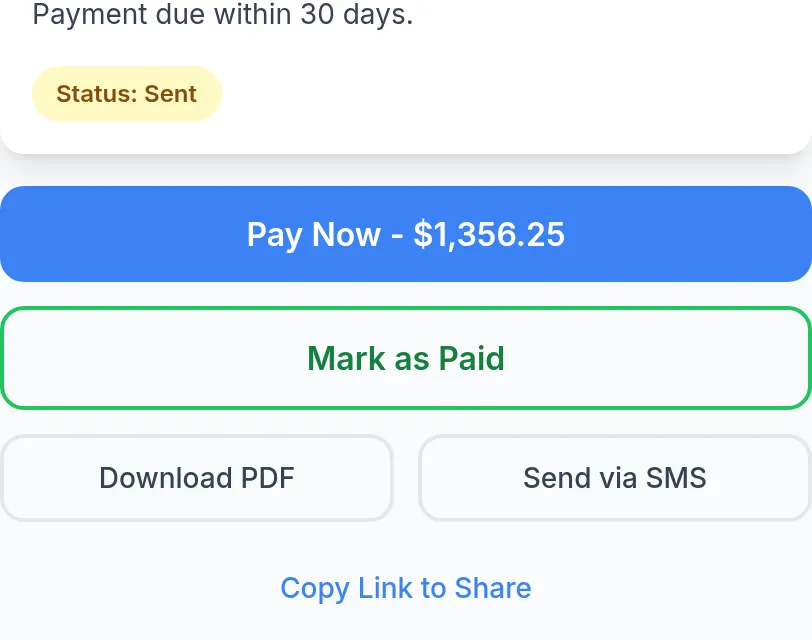
A Create Invoice button on the contact opens Invoicing already filled in. Sent and paid invoices go on the timeline.
Step 5 · Reputation Management
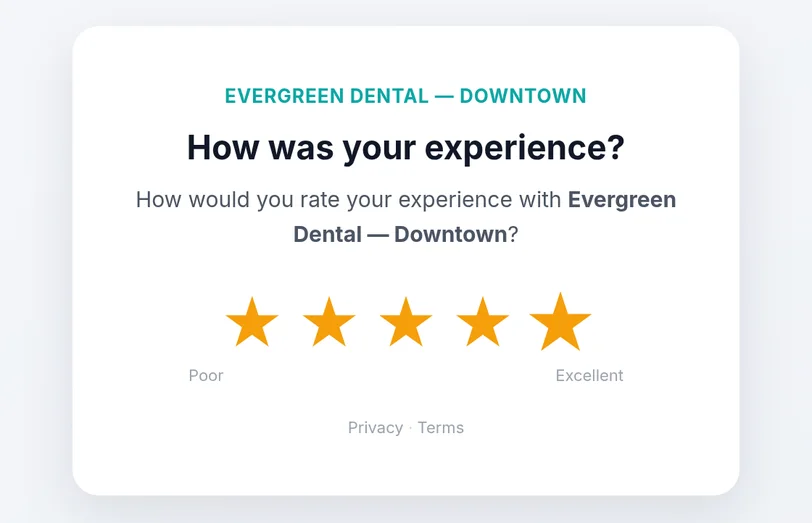
When the invoice is paid, the customer gets a review request, and the contact gets an Ask for Review button.
When a client also owns these apps, they connect to the CRM on their own. There is nothing to set up, and each connection has its own on/off switch.
Wholesale prices
Your wallet pays wholesale for each client. Your client pays your price, straight into your own Stripe or PayPal.
Also sold quarterly ($40), every 6 months ($75) and yearly ($140) at wholesale.
Set one margin for every product or price the CRM on its own. Change it any time.
Clients pay into your own Stripe or PayPal account. We never touch your revenue.
No subscription to ResellPortal. You only pay wholesale for active clients.
Invoicing, bookings, the AI receptionist, e-signature and phone add contacts on their own.
Any small business that sells, follows up or books customers.
Contractors, agencies and consultants tracking quotes and jobs from lead to paid.
A shared pipeline, tasks and email without paying per seat for a big CRM.
Bookings, invoices and receptionist leads flow into the CRM on their own.
CSV import with field mapping and duplicate checks gets them moved in minutes.
There is nothing to install and no data migration for you to run.
Sign up free and add $20 to your wallet. The wallet pays our wholesale price whenever a client starts or renews.
Add your logo and colours and connect your domain. The CRM and its sign-in show your brand.
Switch on the CRM and set your price on top of wholesale, monthly, quarterly or yearly.
Clients pay you by card or PayPal and open the CRM from their account on your store, already signed in.
These connect to the CRM on their own when the same client owns both.
Contacts, deals, tasks and email in one sales CRM, with an AI assistant and automations.
From $15/moView product→Estimates, invoices and Pay Now links with AI pricing and automatic payment reminders.
From $10/moView product→Customers pick a service, time and provider online, and reminders go out on their own.
From $20/moView product→Answers website chats and phone calls 24/7, books appointments and captures every lead.
From $15/moView product→Contracts sent, signed and filed: upload a PDF or draft one with AI, then send.
From $8/moView product→Local and toll-free numbers with forwarding, voicemail transcripts and a phone menu.
From $10/moView product→Quick answers before you start reselling a CRM.
Customer relationship software an agency sells under its own brand. The client manages contacts, deals and tasks in an app with the agency's name on it, and the agency sets the price.
No. They open the CRM from their account on your store, already signed in, in your brand.
You pay $15 a month wholesale per client and set your own retail price. Clients buy on your store, or you order it for them in your Marketplace.
Yes. Invoicing, Appointment Booking, AI Receptionist, Document Signer and Business Phone add contacts automatically when the same client owns both apps.
Yes. Contacts, companies, deals and tasks import from CSV with field mapping and duplicate checks, and any list can be exported to CSV.
The client adds their own SMTP or SendGrid details in Settings first. After that they can send email, reuse templates and see when an email is opened.
Yes. The CRM has a Demo button on your store, so prospects can try it without signing up.
$15 a month, $40 a quarter, $75 for 6 months or $140 a year per client, from your wallet. There is no monthly platform fee.

Create a free account, switch on the CRM and set your price. $20 to start, no monthly platform fee, no contracts.