Connect any email account via IMAP/SMTP and let AI monitor the inbox every 5 minutes, categorize messages, generate context-aware responses, and track performance analytics — all under your brand.
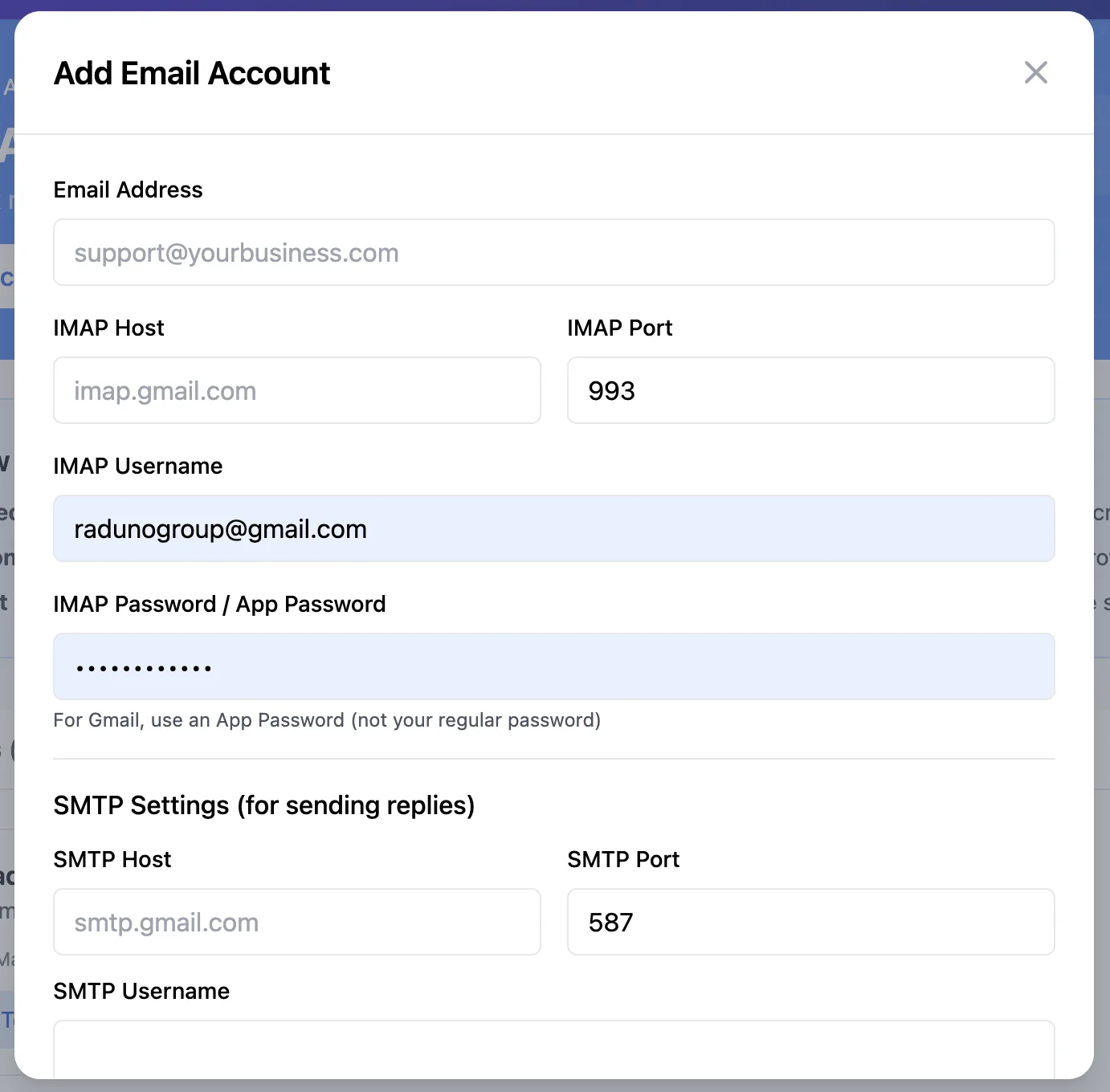
Set up IMAP and SMTP credentials for any email provider. Quick setup guides for Gmail, Outlook, and Yahoo make it effortless.
Clients enter their IMAP host, port, username, and password for incoming mail, plus SMTP host, port, username, and password for sending replies. A built-in connection test with 15-second timeout verifies everything works before going live. Quick setup guides walk through Gmail App Passwords, Outlook settings, and Yahoo configuration.
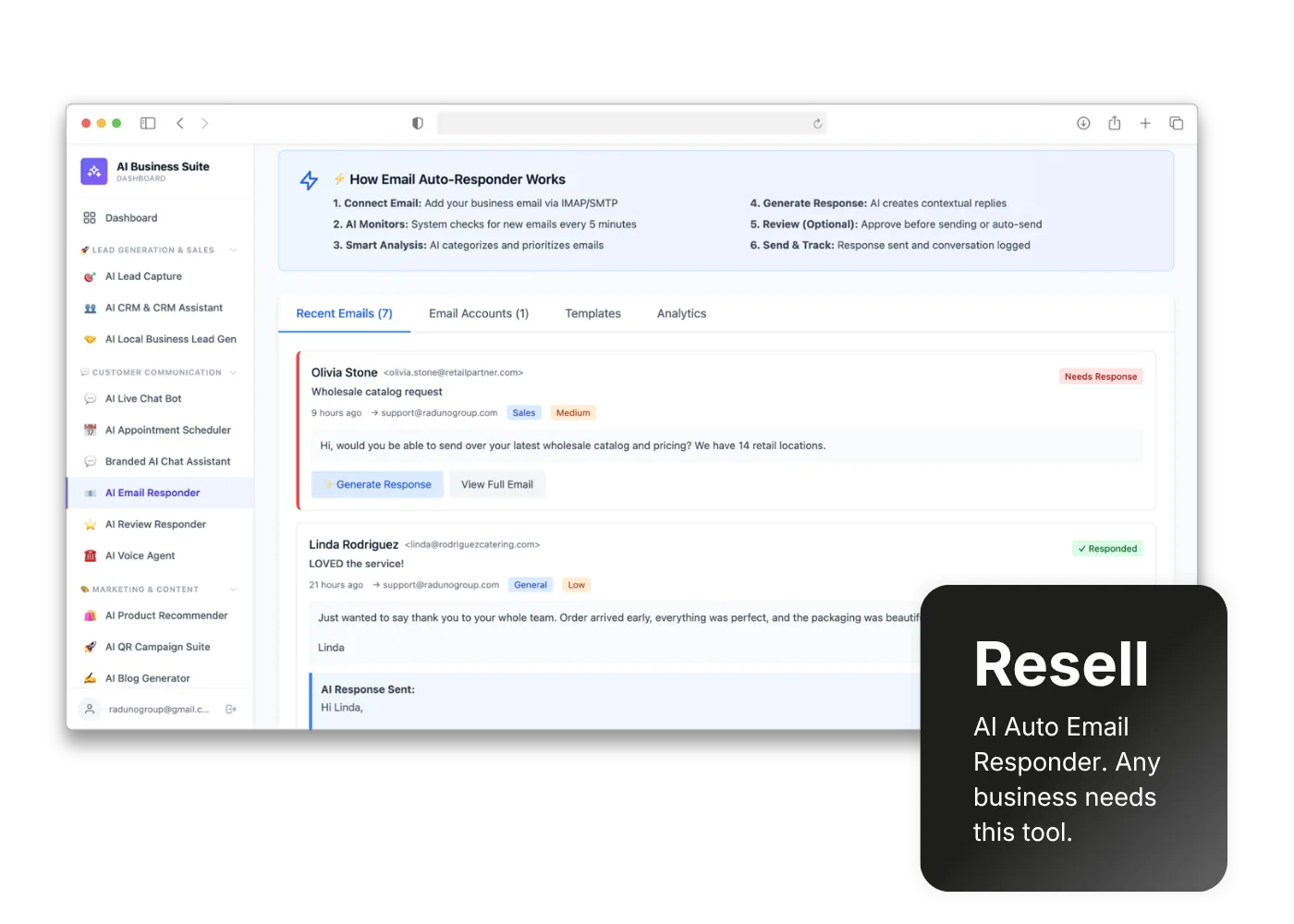
A 6-step automated workflow: Connect Email, AI Monitors every 5 minutes, Smart Analysis categorizes and prioritizes, AI Generates a Response, optional Review step, then Send & Track.
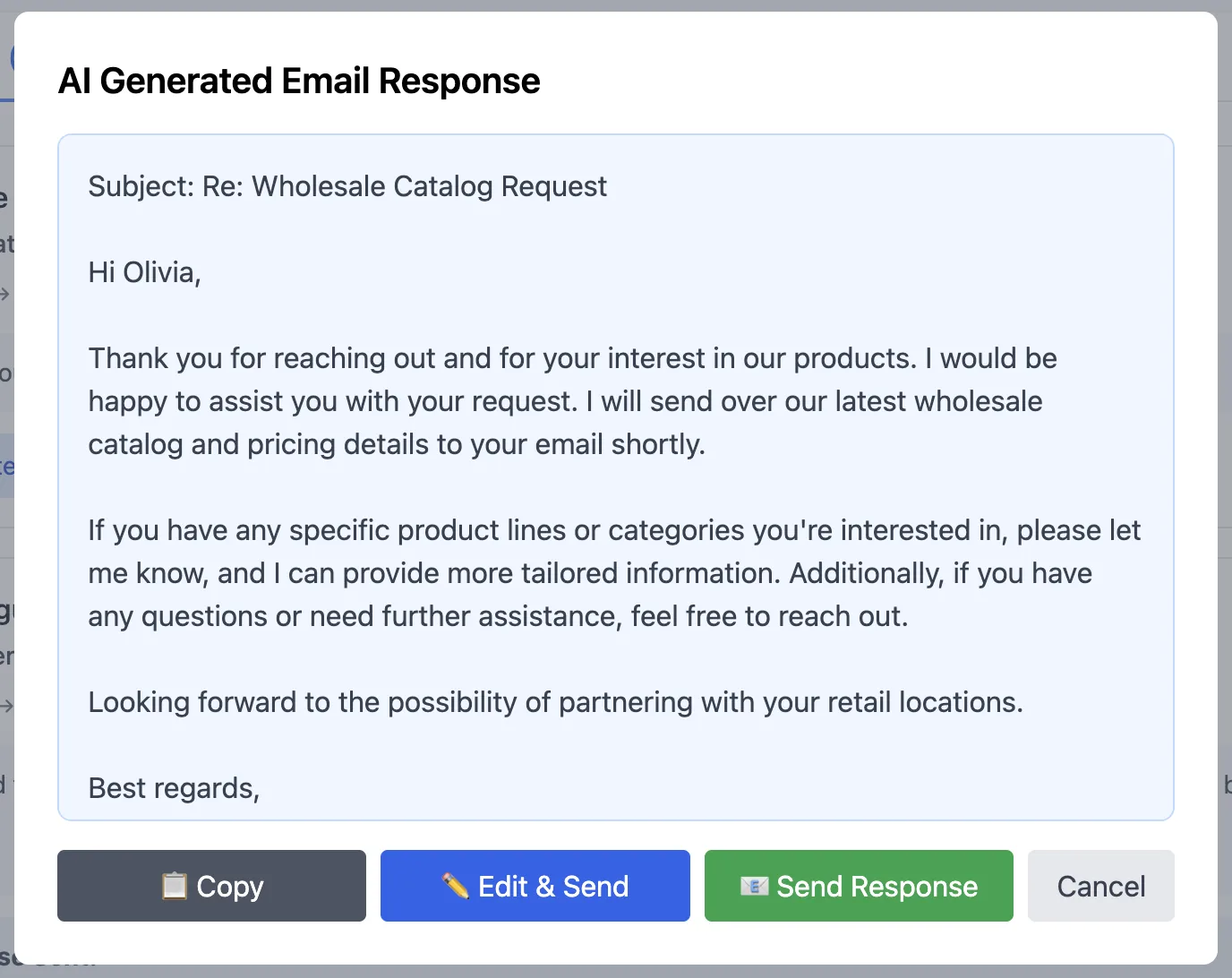
Each email in the inbox shows a "Generate Response" button. Click it and the AI drafts a context-aware reply shown in a modal. From there, clients can Copy the response, open an Edit & Send view with an editable textarea and character counter, Send directly, or Close. The full email viewer renders HTML emails in a sandboxed iframe for safe viewing.
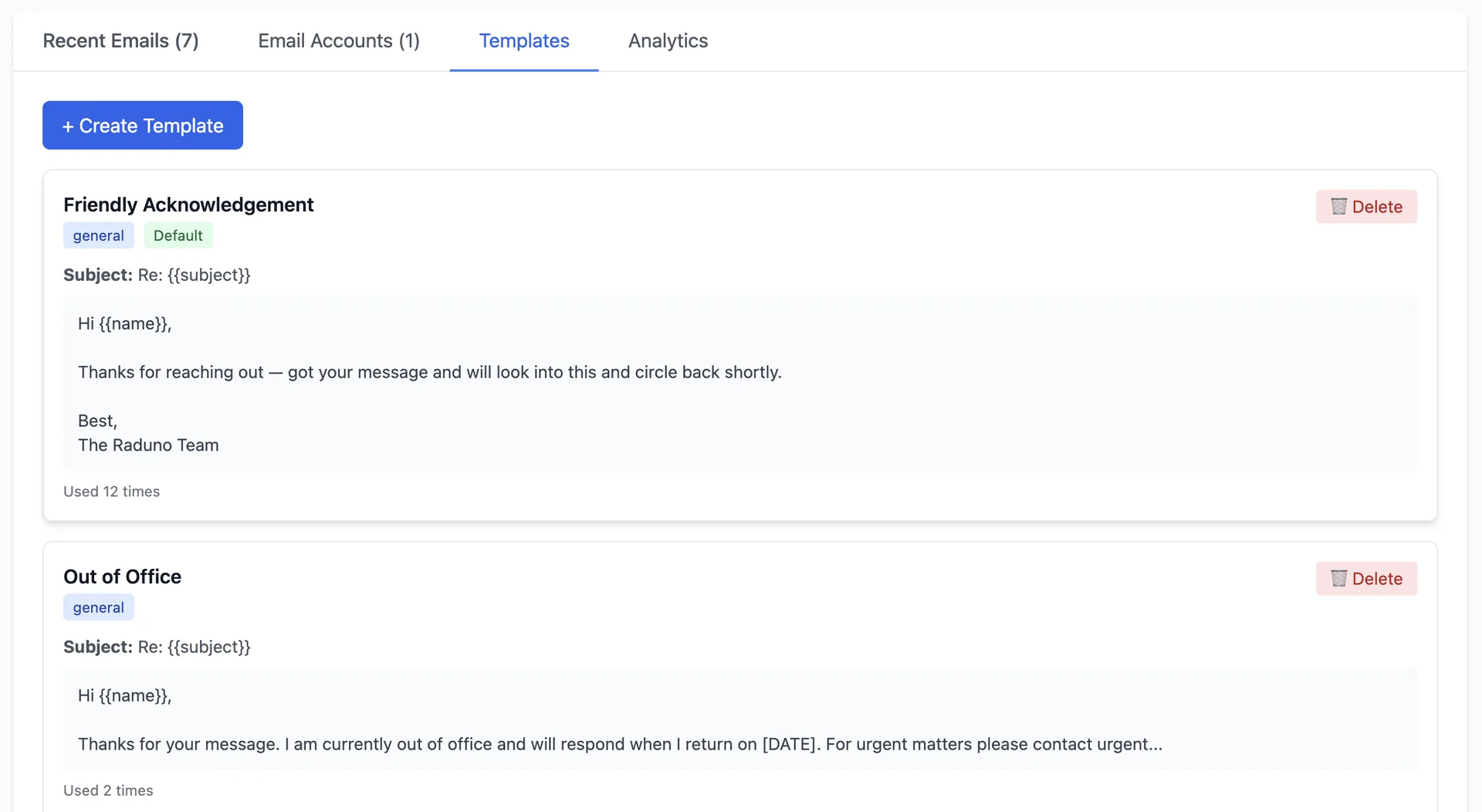
Create and manage email templates by category. Set defaults per category and track which templates get used most.
Build a library of email templates organized by category — General, Support, Sales, and Out of Office. Each template has a name, category, subject line, and body. Set a default template per category so the AI uses it automatically. Usage count tracking shows which templates perform best over time.
Four tabs — Inbox, Accounts, Templates, Analytics — covering every aspect of AI-powered email management.
AI checks connected accounts every 5 minutes. Last 50 emails displayed with status indicators and quick actions.
AI analyzes each email and categorizes it by type and priority — support requests, sales inquiries, general messages, and more.
One-click "Generate Response" per email. AI drafts context-aware replies based on email content and selected templates.
Total Emails, Response Rate, Avg Response Time. Email Volume line chart and Category Breakdown doughnut chart.
Connect multiple email accounts. Dashboard shows connected accounts count, response rates, and needs-response queue.
Full email rendering in a sandboxed iframe. View rich HTML emails safely without leaving the tool.
Create templates by category (General, Support, Sales, Out of Office). Set defaults and track usage counts.
Dashboard stats show average response time in minutes across all accounts with 7-day rolling window.
Built-in connection test with 15-second timeout verifies IMAP and SMTP credentials before going live.
Every business drowns in email. Give them an AI assistant that reads, categorizes, and drafts replies automatically.
Toggle on AI Email Responder in your reseller dashboard. Part of the AI Business Suite.
You pay wholesale. Sell for $29, $59, $99/mo — email automation tools are easy to justify ROI.
Support teams, sales reps, agencies, freelancers — anyone spending hours on email replies every day.
Client enters IMAP/SMTP credentials, AI starts monitoring in 5 minutes, and responses flow. Zero coding needed.
Any team that spends more than an hour a day on email replies — which is nearly every business.
Your clients spend hours reading and replying to emails every day. Give them an AI that monitors their inbox, drafts replies, and tracks performance — under your brand, at your price.
