Contacts, companies, deals, pipeline kanban, tasks, AI insights, reports, email templates, and a built-in AI chat assistant — all in one white-label CRM your clients will love.
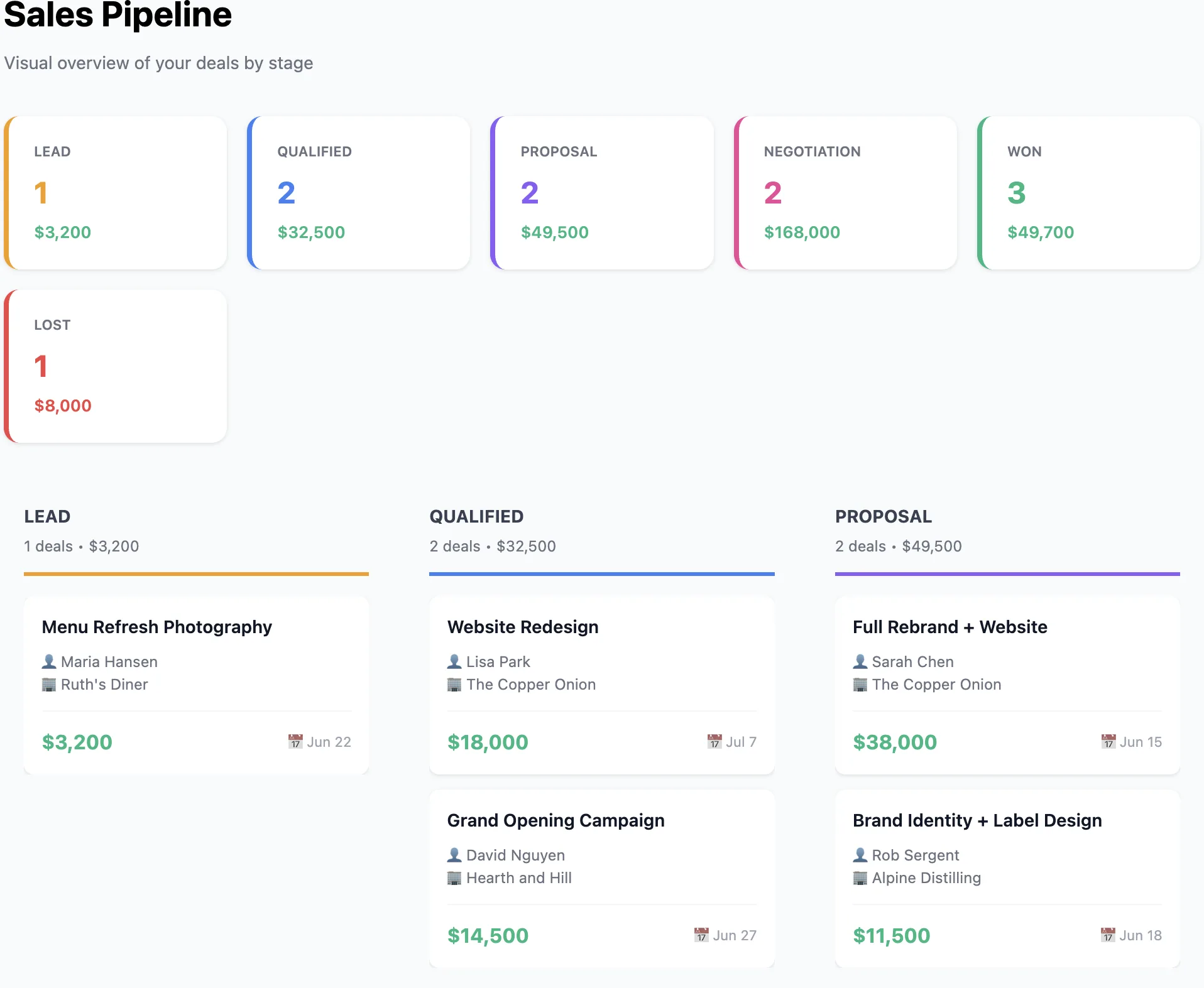
A 6-column kanban board showing deals as cards with amount, contact, and dates. Drag deals through Lead, Qualified, Proposal, Negotiation, Won, and Lost.
Each deal card shows the deal amount, associated contact, expected close date, and probability percentage with color-coded stage badges. The responsive horizontal scroll keeps all 6 columns accessible on any screen. Full CRUD on deals — create, edit, and move deals through stages as they progress.
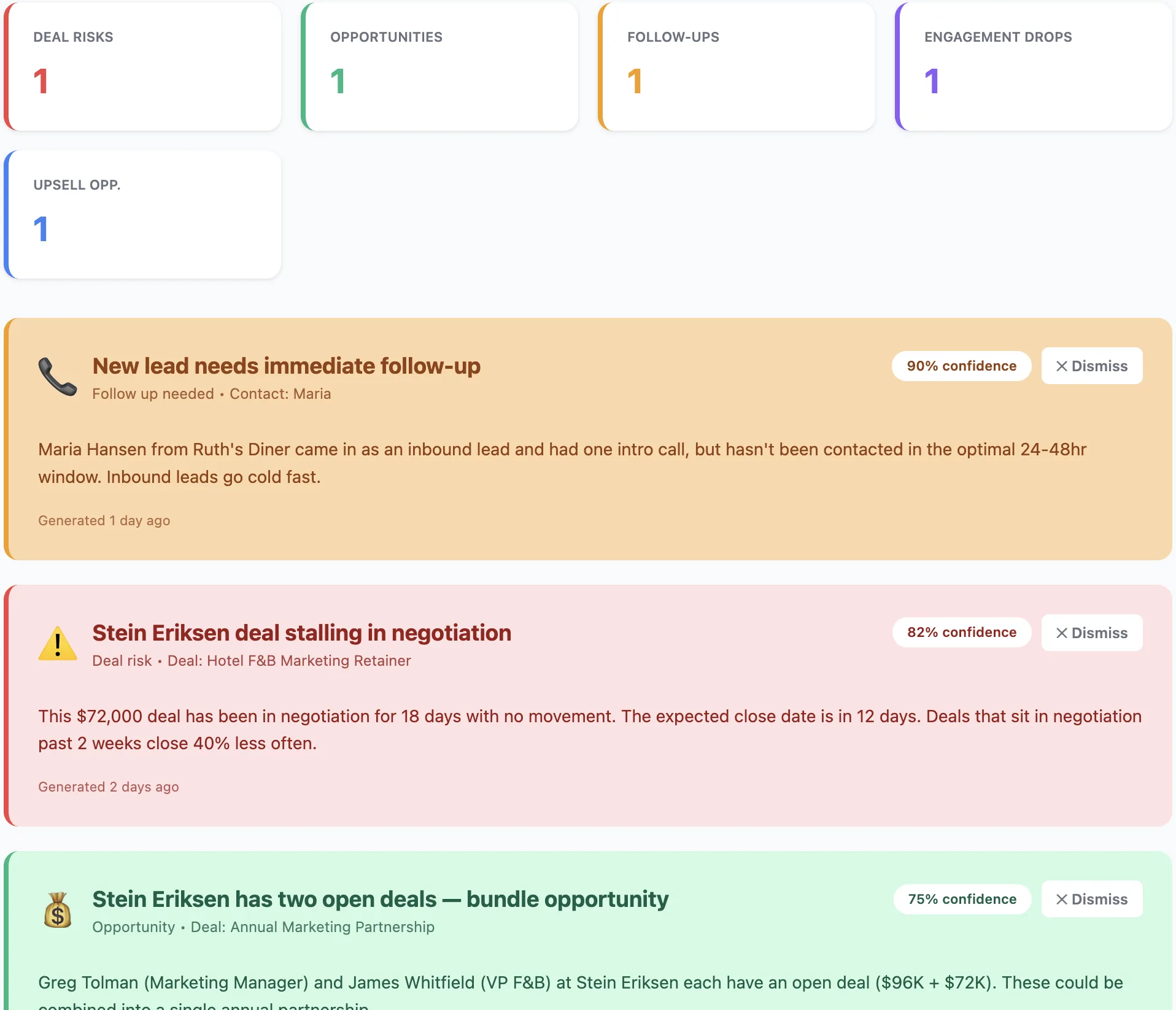
Five types of AI-generated insights with confidence scores and actionable next steps — so your clients never miss a risk or opportunity.
The AI continuously analyzes CRM data and surfaces color-coded insight cards. Deal Risks (red) flag stalled or at-risk deals. Opportunities (green) highlight high-probability wins. Follow-ups (yellow) remind reps about overdue tasks. Engagement Drops (purple) catch contacts going cold. Upsell Opportunities (blue) identify expansion revenue potential. Each card shows a confidence score, detailed explanation, and specific action items. Dismiss insights when addressed.
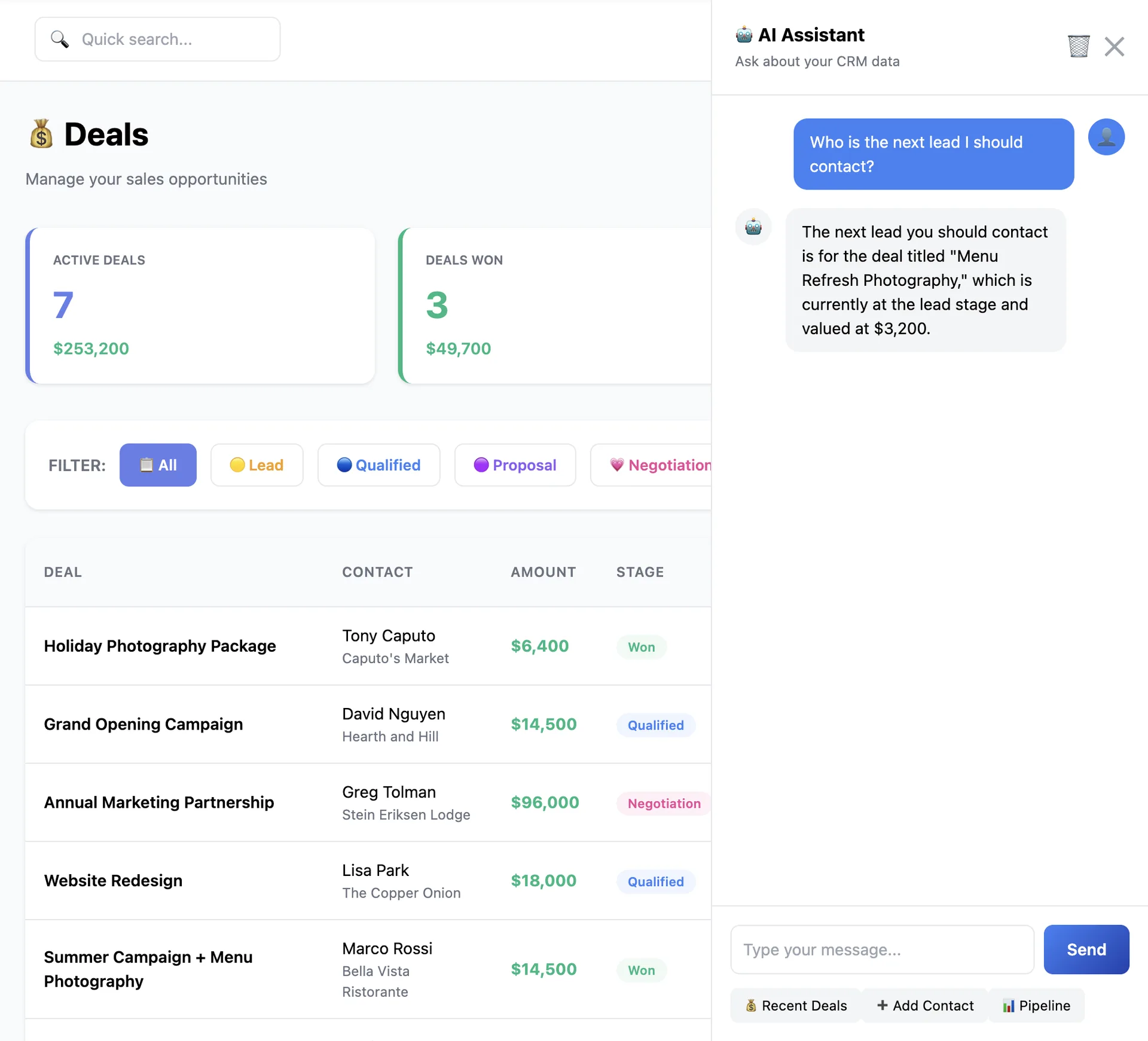
A dockable right-side chat panel with quick actions, localStorage persistence, and automatic 5-minute inactivity clearing.
The AI chat assistant docks to the right side of the CRM and understands your entire dataset. Quick action buttons let clients instantly ask for "Recent Deals", "Add Contact", or "Pipeline" summary without typing. Chat history persists in localStorage between sessions and auto-clears after 5 minutes of inactivity for security. The AI can answer questions about contacts, deals, tasks, and pipeline status in natural language.
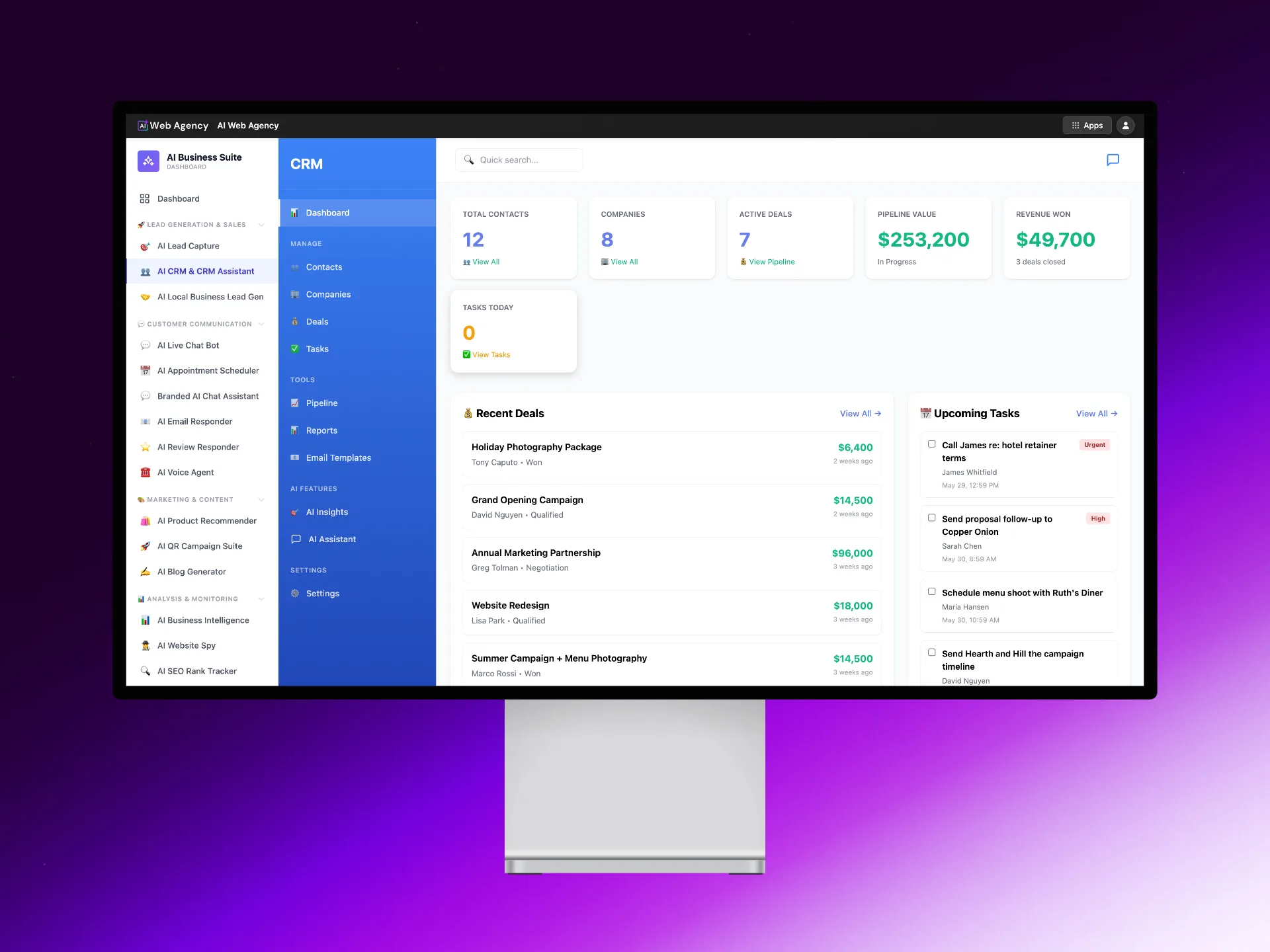
Every module a growing business needs to manage contacts, close deals, and grow revenue — powered by AI.
6 stat cards, recent deals/contacts/tasks, AI insights preview.
Full CRUD, search/filter, lead statuses (New to Customer/Lost).
Card grid with website, industry, contact & deal counts.
6 stages, amount, probability %, expected close, color badges.
Visual 6-column board, deal cards, responsive horizontal scroll.
Call, Email, Meeting, Todo, Follow-up. Priority levels, overdue tracking.
5 types: Risks, Opportunities, Follow-ups, Drops, Upsells.
Date-range analytics, deals by stage, win rate, top contacts.
Variable substitution: {first_name}, {company}, {email}.
Notification preferences, display preferences, data management.
Dockable chat, quick actions, localStorage, auto-clear.
Dual mode — use built-in CRM or connect to HubSpot.
Global search across contacts, deals, companies. Status filters.
AI isn't bolted on — it's woven into every module, from contact scoring to deal risk detection to the chat assistant.
6-column board with deal cards showing amount, contact, dates, and probability. Color-coded stage badges.
Deal Risks, Opportunities, Follow-ups, Engagement Drops, Upsells — each with confidence scores and action items.
Dockable panel with quick actions, localStorage persistence, and 5-minute auto-clear. Understands your full CRM data.
6 lead statuses: New, Contacted, Qualified, Opportunity, Customer, Lost. Filter and track conversion funnels.
5 task types (Call, Email, Meeting, Todo, Follow-up), 3 priority levels, overdue tracking, due date color coding.
Dual mode — use the built-in CRM standalone or connect to HubSpot for synced contacts, deals, and companies.
Deals by stage, activity summary, top contacts by deal value, win rate — all filterable by custom date ranges.
Variable substitution with {first_name}, {company}, {email}. Organize by type and reuse across the team.
6 stat cards: contacts, companies, active deals, pipeline value, revenue won, tasks today. Recent activity feeds.
Every growing business needs a CRM. Now you can sell one with AI built into every module — under your brand.
Toggle on AI CRM in your reseller dashboard. Part of the AI Business Suite.
You pay wholesale. Sell for $49, $99, $199/mo — CRM tools command high recurring revenue.
Sales teams, agencies, startups, consultants — anyone managing deals and contacts needs this.
Client adds contacts, creates deals, and the AI starts generating insights and chat responses immediately.
Any business that manages relationships, tracks deals, or needs to close more revenue.
Your clients need a CRM that doesn't just store data — it analyzes it, surfaces risks and opportunities, and has an AI assistant ready to help. Give them that, under your brand.
